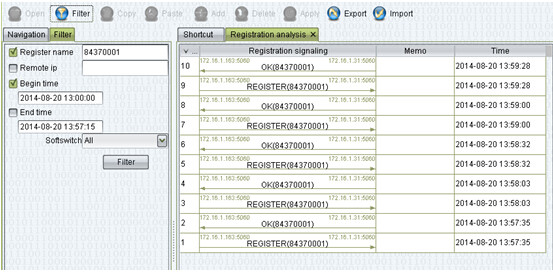
Use the registration track, you can see the register details, help you find the registration problem
Do as the follow capture:
<operation management>–<softswitch management> 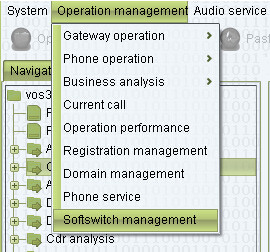
Select the “MBX3000” and right click, chose <registration track> 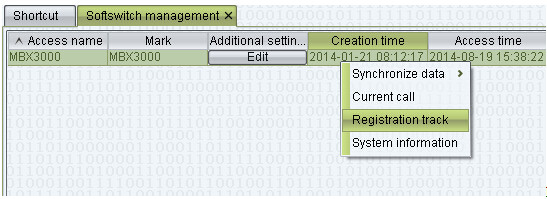
Then will show the window <trace lenght> means in the next 600s(the biggest value you can set 86400) all registration will be tracked,after 600s, it will be turn off <file size limit> means the track file donot allow bigger than 64MB(the biggest value you can set 500), or the old data will be recover firstly 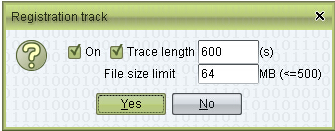
After click “yes”, next will be show,then click “OK” 
You can get the all track in the menu like below capture show <operation management>–<bussiness analysis>–<registration analysis> 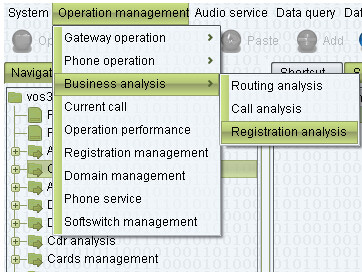
The details like below