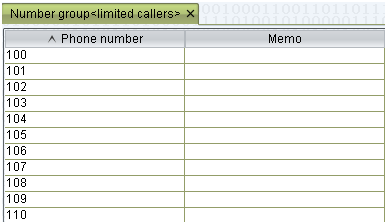
step1: Create the Black/White list group
<number management>—<Black/White list group>, to create Black/White list group, then double click the group names and add the phone numbers you want to limit 
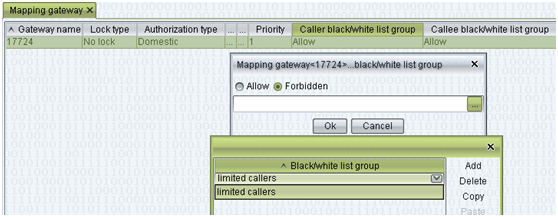
Step 2: routing/mapping gateway setting
In mapping/routing gateway, double click the Callee black/white list group, select allow or forbidden.
Click the right little button of the blank, add and select the Black/White list group you have set in number management.