
In V2.1.6.00, vos3000 add the “rate template” function
1. Suppose you get a feerate files named “tata.xls” from your vendor, you can import “tata.xls” 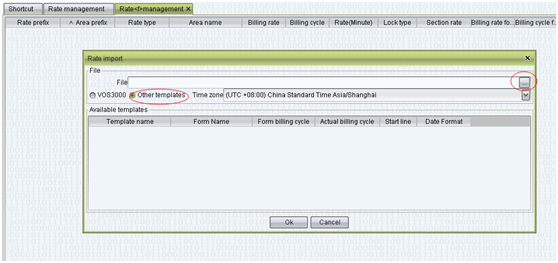
Please choose the “other templates”, vos will automatically identify which template match the feerate file ,if vos cannot identify the feerate file, you should move to the vos3000 client install directory to change the template in order to identify the feerate file.
2. How to change the feerate templates
Find out the vos client install path in your WINDOWS computer, for example: my vos client install path is D:Program Files (x86)VOS3000engVOS3000 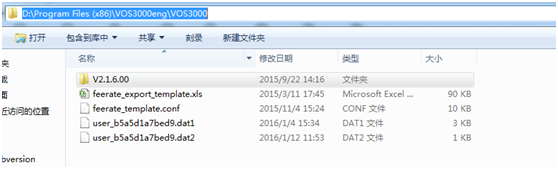
We have collected about 30 major feerate_templates in the world . You can add your own template in the file, modify modify the “feerate_template.conf” to add template_31 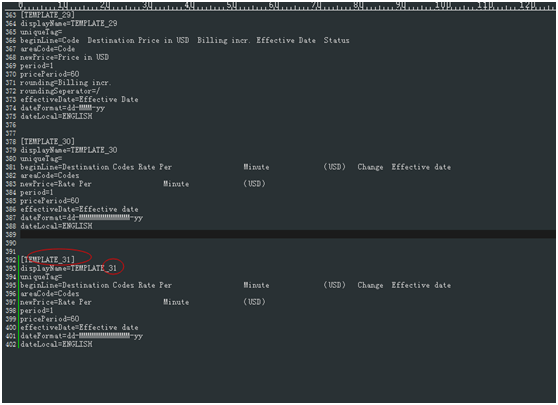
Begin Line:Actually, the first line in feerate files is corresponding to the Begin Line in feerate_template.conf 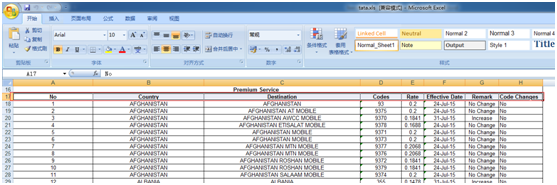
So you can copy the first line content into “feerate_template.conf” file directly 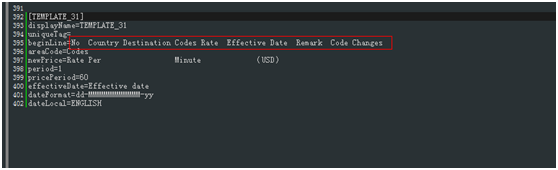
areaCode: please check the “Codes” in the excel file 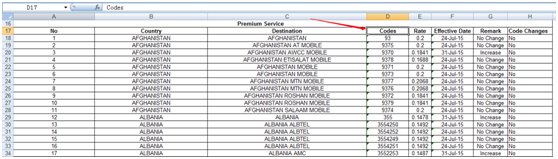
newPrice: please check “Rate” in the excel file 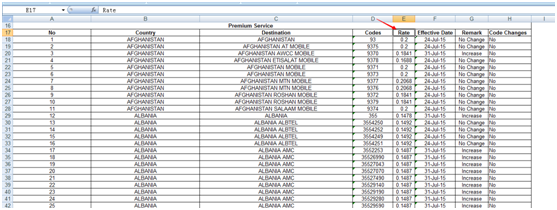
effectiveDate: please check “Effective Date” in the excel file 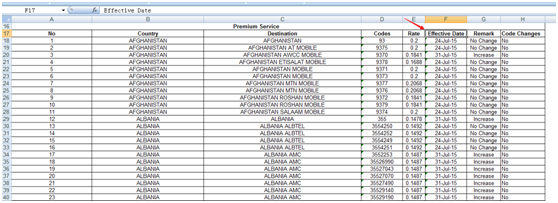
dateFormat: please check “Effective Date” format
the common date format:
dd-MMMMMMMMMMMM-yy
dd-MMM-yy
MM/dd/yyyy
dd-MMM-yyyy
yyyy-MMMMMMMMM-dd
etc 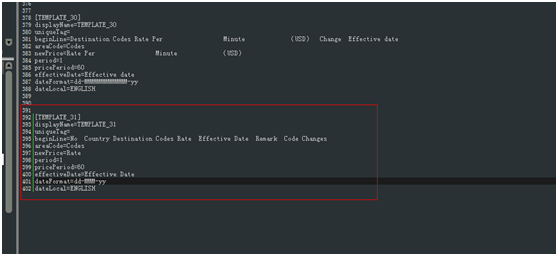
3. After edit the template, you can import the rate like step 1